Visual Threat Feed Ingestion for Everyone
Building regex rules for threat feed ingestion required deep technical expertise most analysts lacked.
3× faster ingestion setup; non-technical analysts could configure feeds independently.
Lead UX Designer — user research, visual-first redesign, prototyping.
Show the data flowing, not just the form. Feedback makes complex tools learnable.
Threat feed ingestion into Chronicle was slow, technical, and error-prone. Non-technical SOC analysts couldn't create feeds without regex knowledge — a significant barrier in environments where speed and accuracy matter most.
We redesigned the entire flow to be visual-first, replacing complex regex syntax with intuitive UI patterns that let anyone configure, preview, and validate threat feeds without writing a single regular expression.
Through research sessions with SOC teams and Chronicle administrators, five recurring pain points emerged that were blocking non-technical users from ingesting threat feeds independently.
"I have to ask a developer every time I want to add a new feed. Sometimes that's a two-day wait. By then the threat intel is stale." — SOC analyst, discovery session
URL setup, authentication, and data extraction all required deep technical knowledge. Even basic feeds needed multiple configuration steps across different screens.
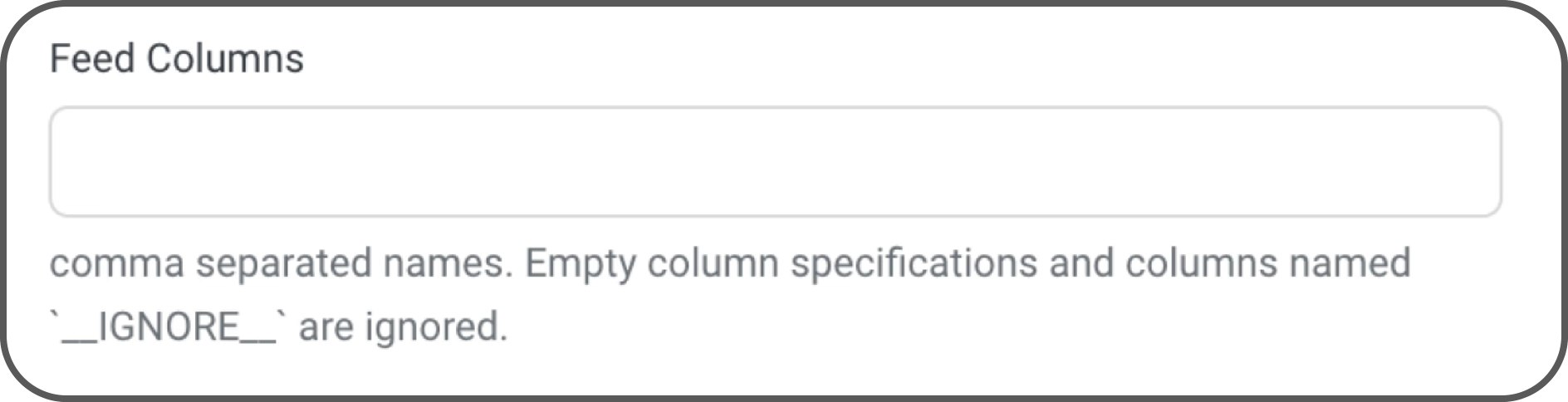
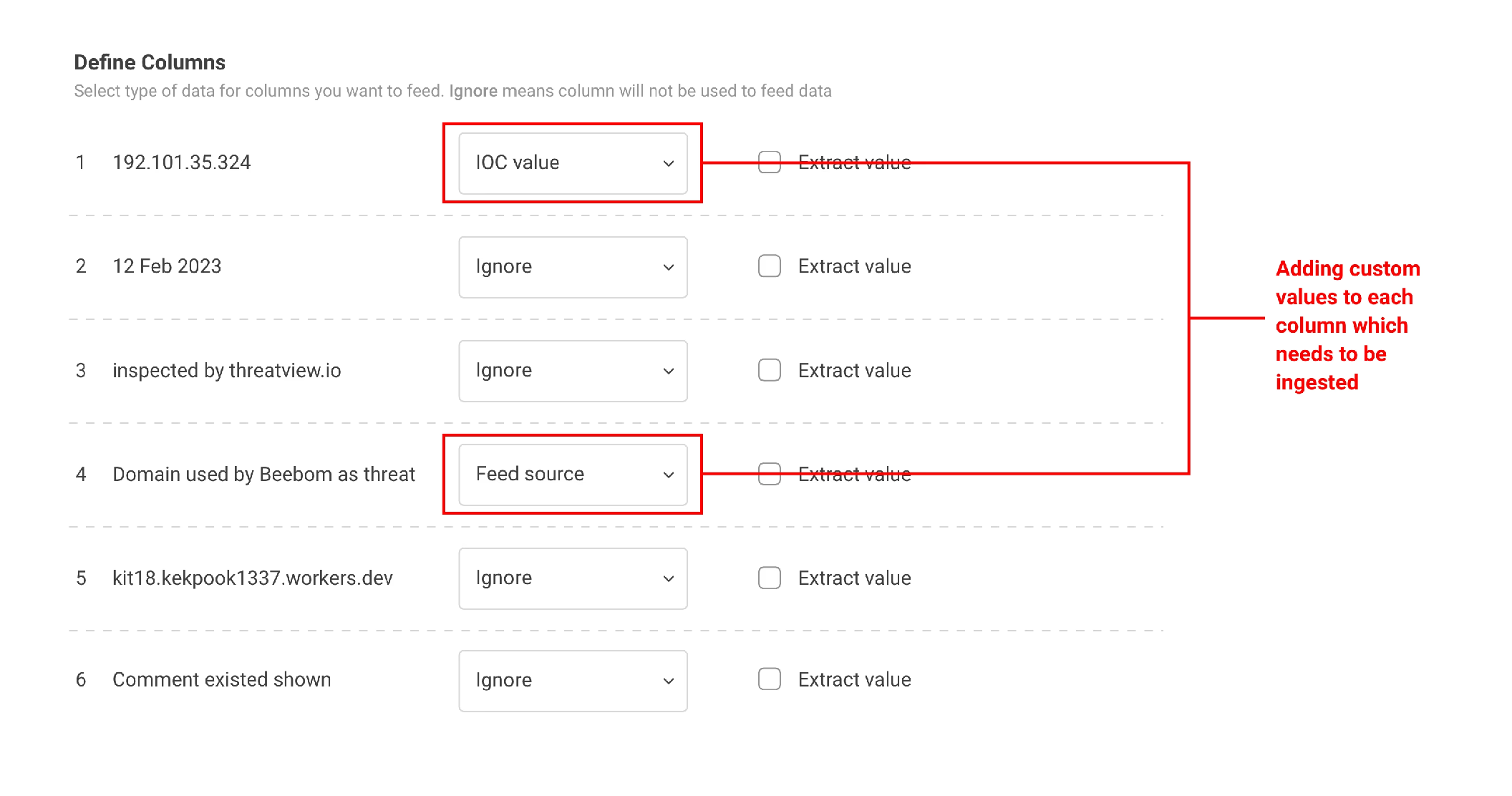
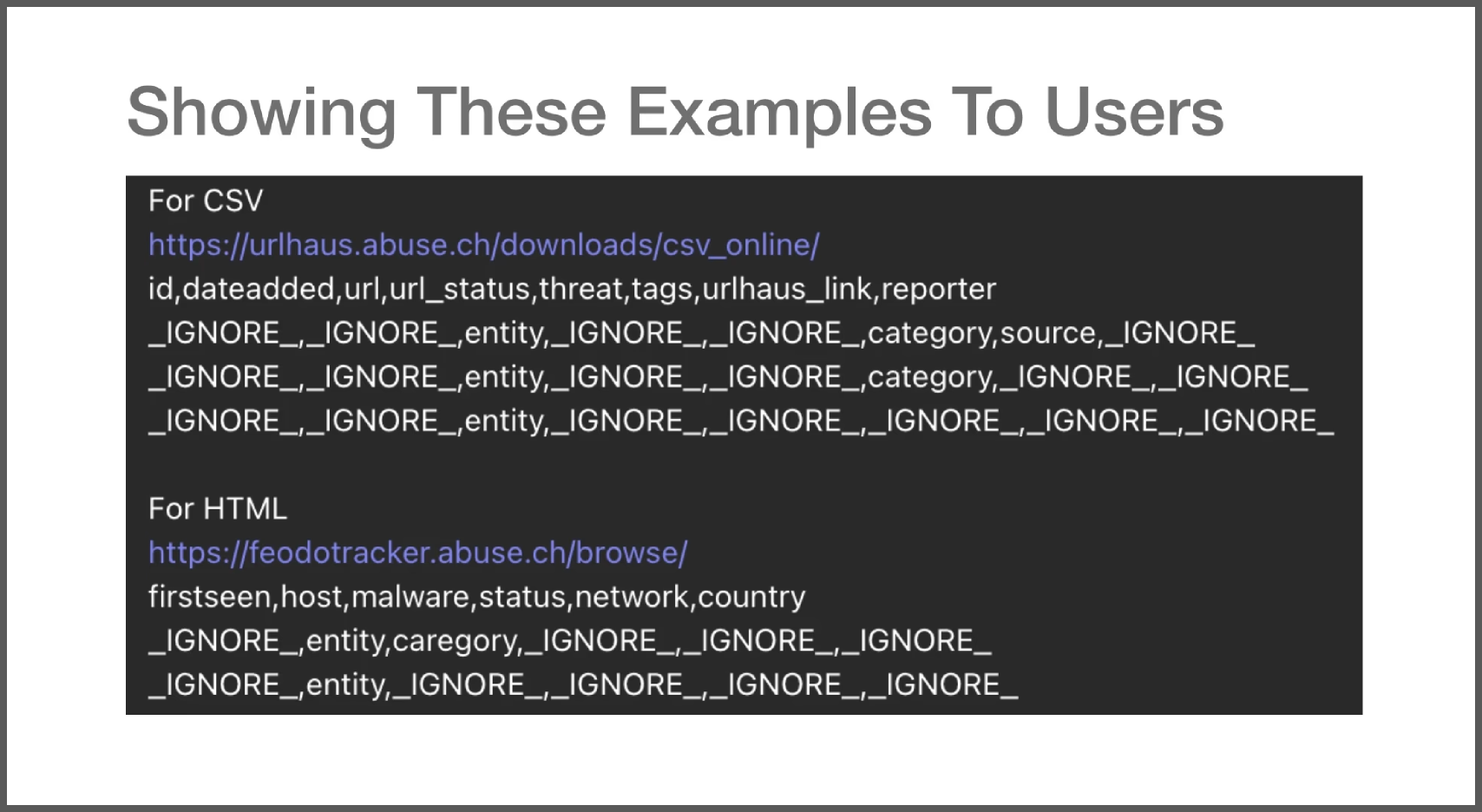
Difficult expression syntax for mapping columns — entity, category, _IGNORE_ — created confusion and frequent misconfiguration.
Complex regex syntax with no preview capability meant analysts had to write, test, and debug expressions blindly — a task most weren't trained for.
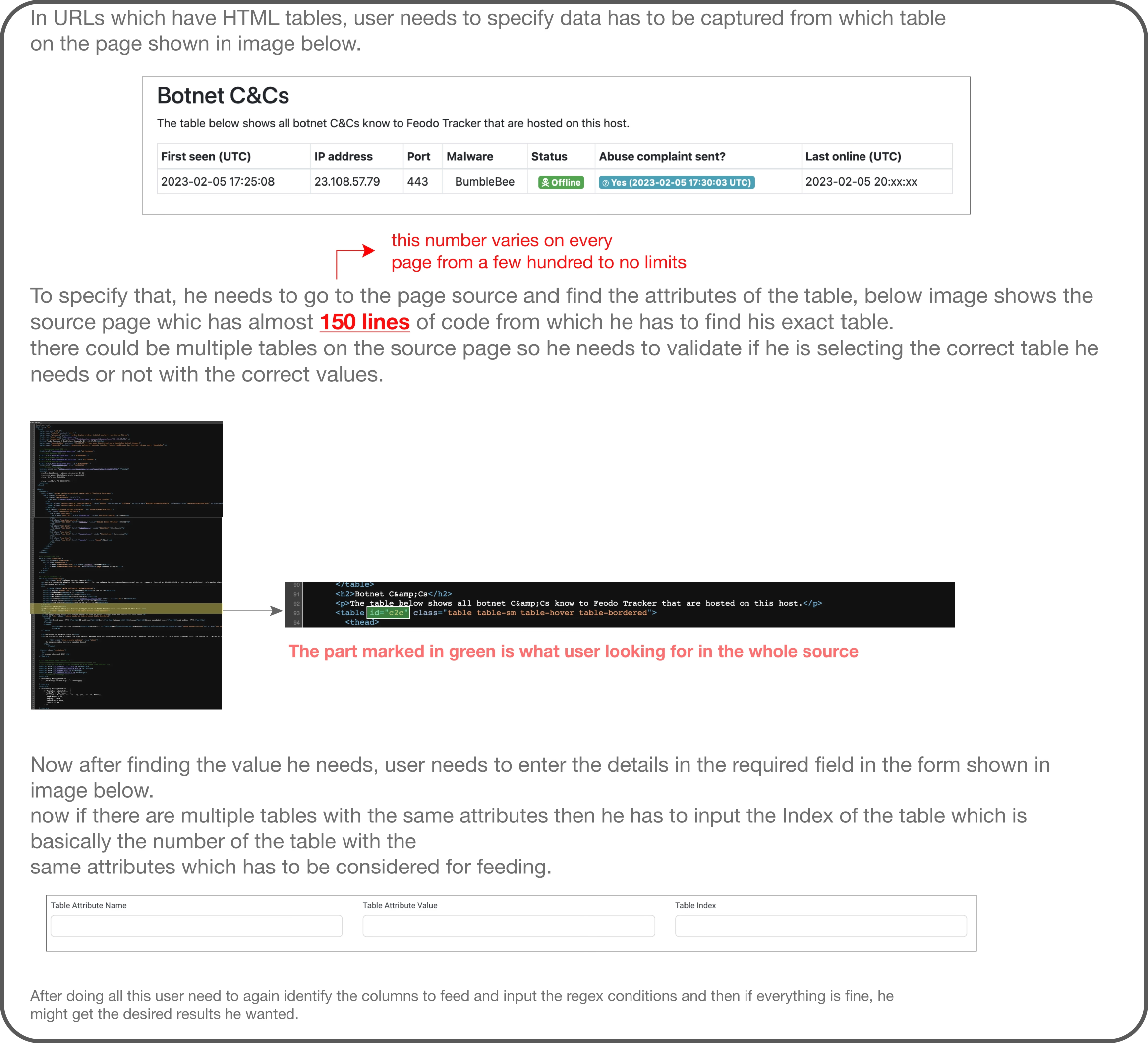
Analysts had to dive through page source code to find the right table element — a developer-level task imposed on security operators.
Users couldn't verify results until after ingestion completed, leading to silent failures and corrupted data that took hours to diagnose.
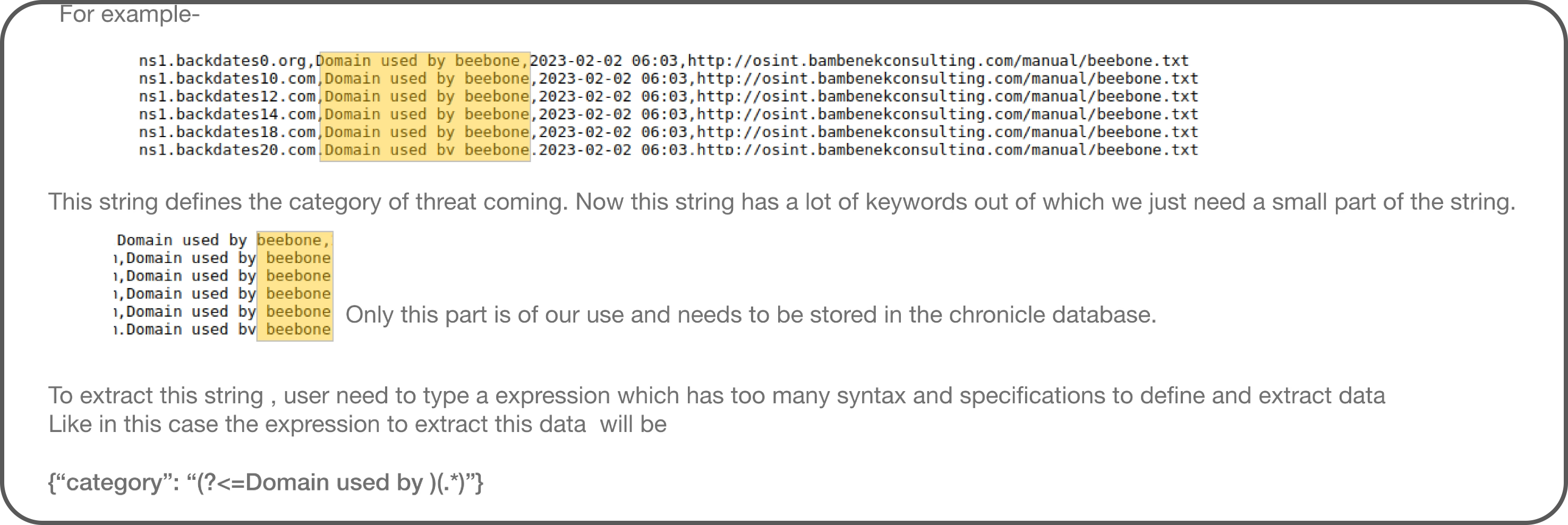
A real example of what analysts faced: extracting a simple keyword from a feed required writing complex lookahead regex patterns like {"category": "(?<=Domain used by )(.*)"} — a task that required developer-level knowledge for what was fundamentally a data parsing job.
Our design goals centered on four principles that guided every decision from early concepts through final implementation.
Before redesigning the UI, we mapped the full ingestion pipeline end-to-end — from raw feed source to structured IOC data inside Chronicle. Every screen in the redesign maps to one step in this flow.
The complete pipeline: raw feed URL → format detection → column extraction → custom rules (if needed) → live preview → ingest. We designed a screen for every handoff in this chain.
We analyzed five categories of existing regex and data extraction tools to understand current approaches, strengths, and gaps.
| Tool Type | Approach | Strength | Limitation |
|---|---|---|---|
| Regex101 | Live regex testing with explanation | Instant feedback and match highlighting | Still requires regex knowledge to write patterns |
| Visual Regex Builders | Drag-and-drop pattern construction | Reduces syntax memorization burden | Still feels complex; steep learning curve remains |
| AI-Powered Regex | Natural language to regex generation | Lowest barrier to entry | Unpredictable output; hard to verify correctness |
| Open-Source Visualizers | Railroad diagram visualization of patterns | Excellent for understanding existing regex | Read-only — doesn't help create new patterns |
| Desktop Assistants | Standalone apps with template libraries | Rich feature set with saved patterns | Not integrated into workflow; context-switching required |
Not every idea survived testing. Here are the approaches we explored that didn't work — and what we learned from them.
These failures weren't waste — they narrowed the solution space and pointed us toward the visual extraction model that eventually shipped.
Six interconnected capabilities that transform threat feed ingestion from a technical task into a guided, visual workflow.
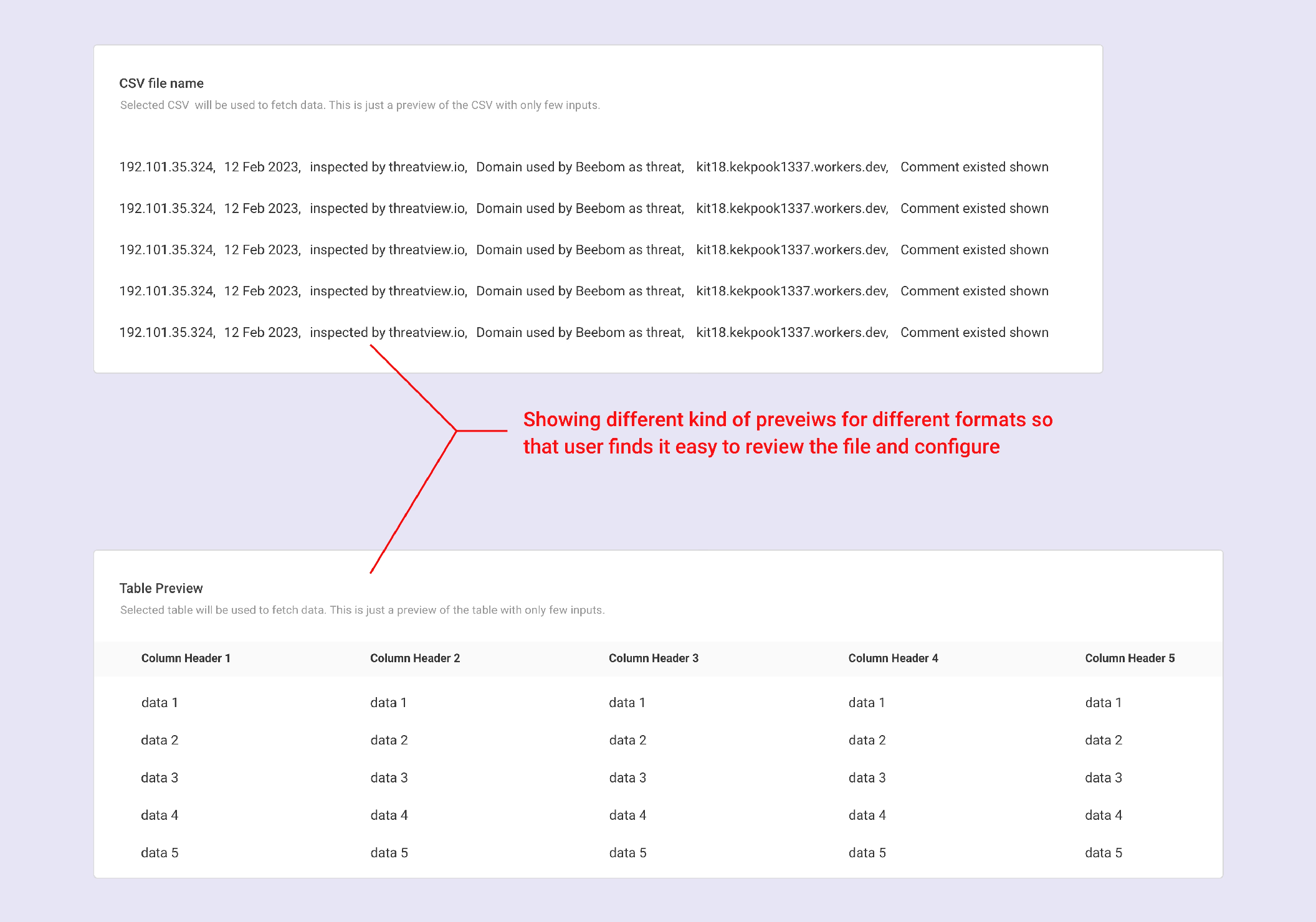
Auto-split columns from incoming data with dropdown-based role assignment. No more memorizing entity, category, or _IGNORE_ syntax — just select from a list.
Live preview of incoming data with instant error highlighting. Users see exactly what will be ingested before committing, catching format issues and parsing errors in real time.
Visual keyword extraction with delimiters. Instead of writing /regex/ patterns, users highlight what they want and set boundaries visually.
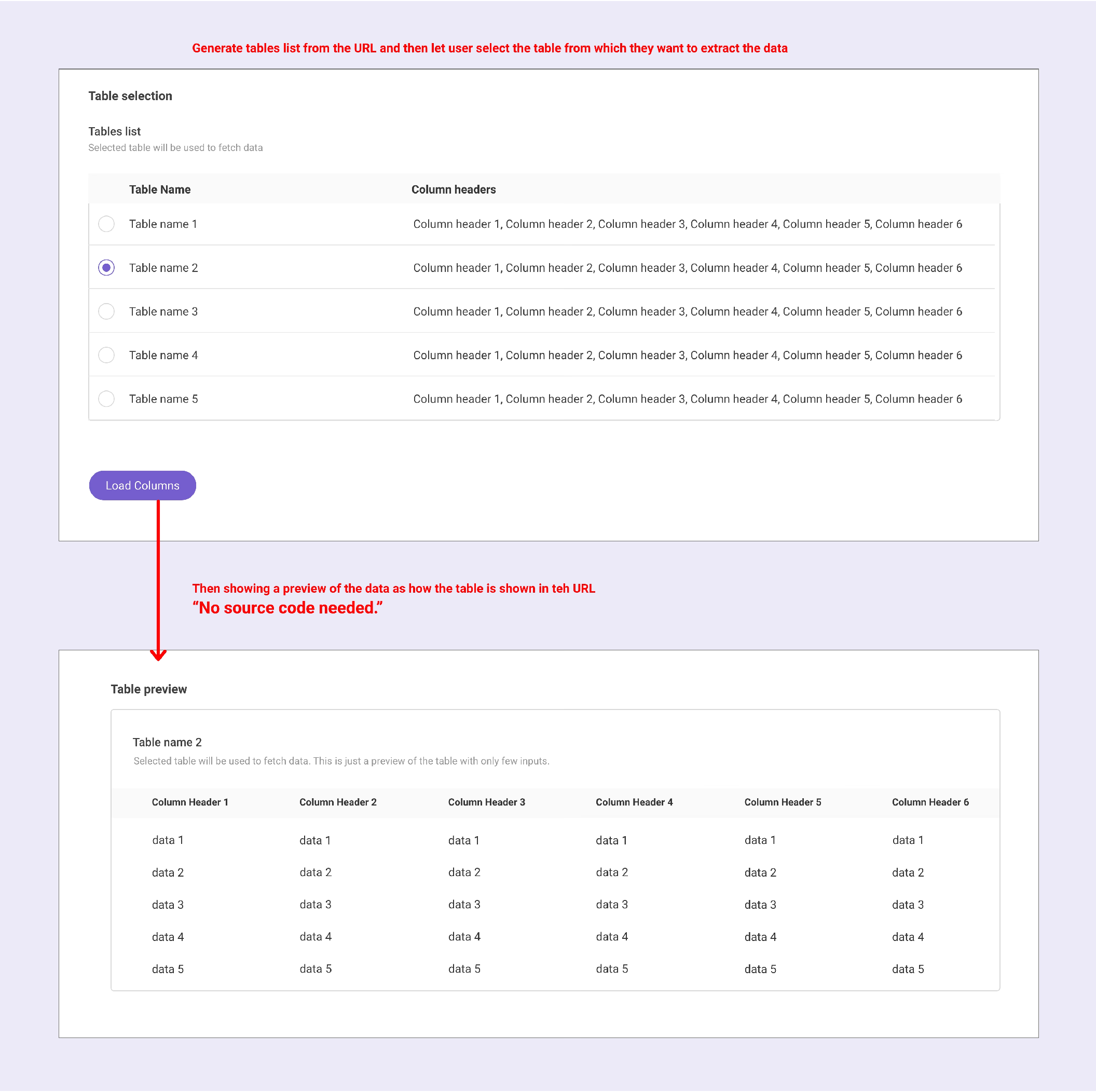
Automatically detect and list all available tables on a page with previews. No more diving through page source — just pick the table you want from a visual list.
Enrich feeds with severity, threat score, and category metadata. Structured inputs replace free-text fields, ensuring consistent and queryable threat intelligence.
Set refresh rates for feed ingestion — hourly, daily, or weekly — with automatic alerts for failures. No more manual re-runs or missed updates.
The most direct solution to "analysts can't write regex" is: have AI write the regex for them. Natural-language-to-regex tools exist. We considered building one in.
We didn't. Here's the reasoning:
Lowest barrier to entry on paper. Analyst describes what they want in plain English; system writes the pattern. No learning curve at all.
Problem: AI-generated regex is unpredictable. In security contexts, a pattern that extracts 95% correctly and silently misses 5% is worse than an explicit error — because the analyst has no mental model for what the AI did or when it's going wrong.
The analyst clicks on data in the preview, draws a boundary, and sees exactly what will be extracted. The visual interaction is the regex — the system generates it invisibly underneath. For power users, raw regex editing is still available. The pattern remains visible and auditable at all times.
Previews build the mental model that AI-only approaches destroy. Analysts who understand what their pattern does can debug it when it breaks.