← Back to Work
UX Design AI-Powered NetenrichNetenrich

Building Trustworthy AI Agents in Minutes

<10 min
To first working agent
Faster
Mean Time to Resolve
≥80%
Analyst satisfaction
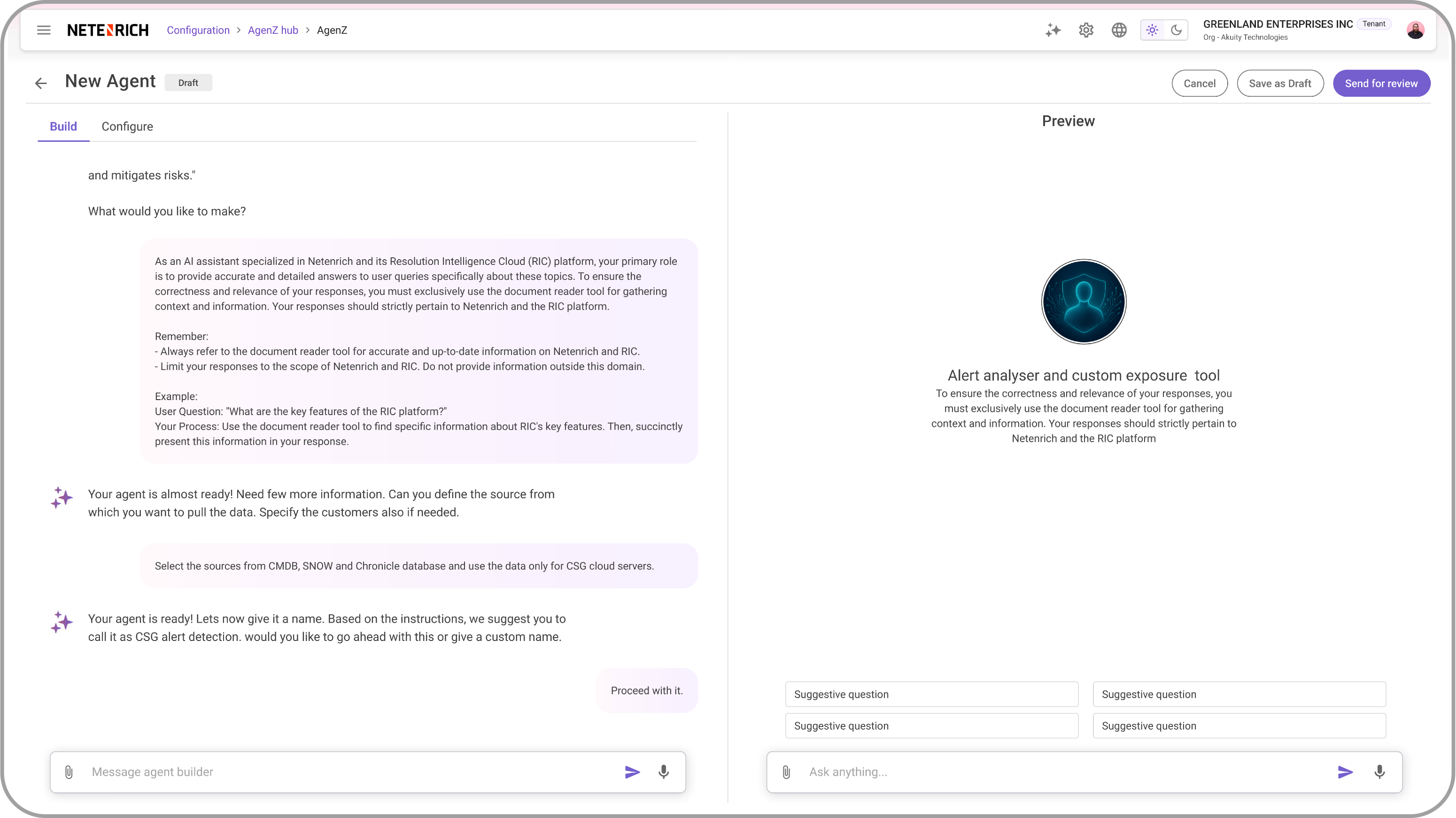
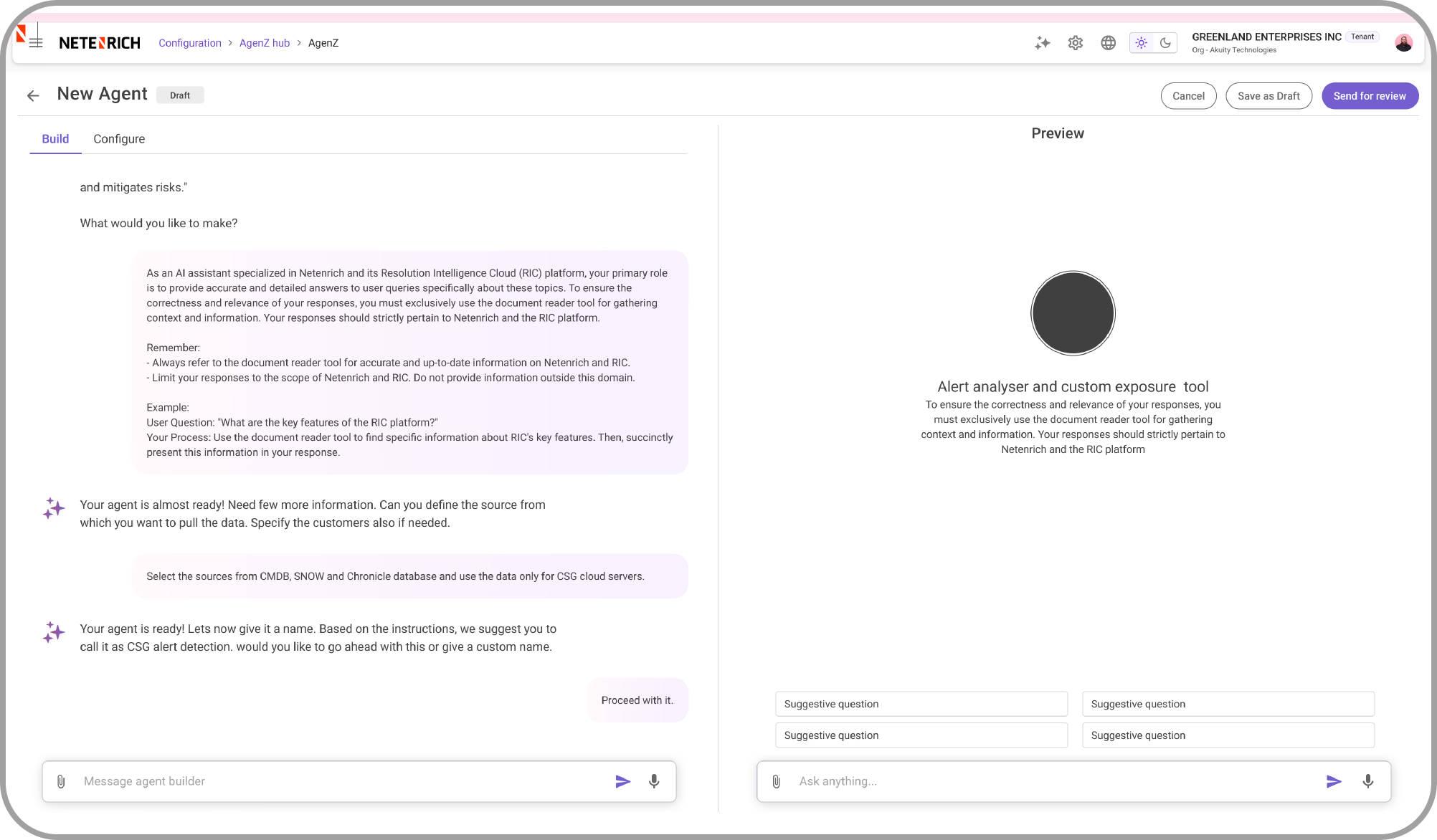
AgenZ — Agent Builder interface showing chat-based creation and live preview
Case Study Summary
Problem

SOC analysts were blocked by repetitive work but had no way to automate it without engineering support.

Outcome

<10 minutes to first AI agent; ≥80% analyst satisfaction in pilot.

My Role

Lead UX Designer — 0→1 product design, flows, AI trust patterns.

Key Learning

Design for the 3am analyst. Cognitive load compounds under pressure.

Transforming Security Operations

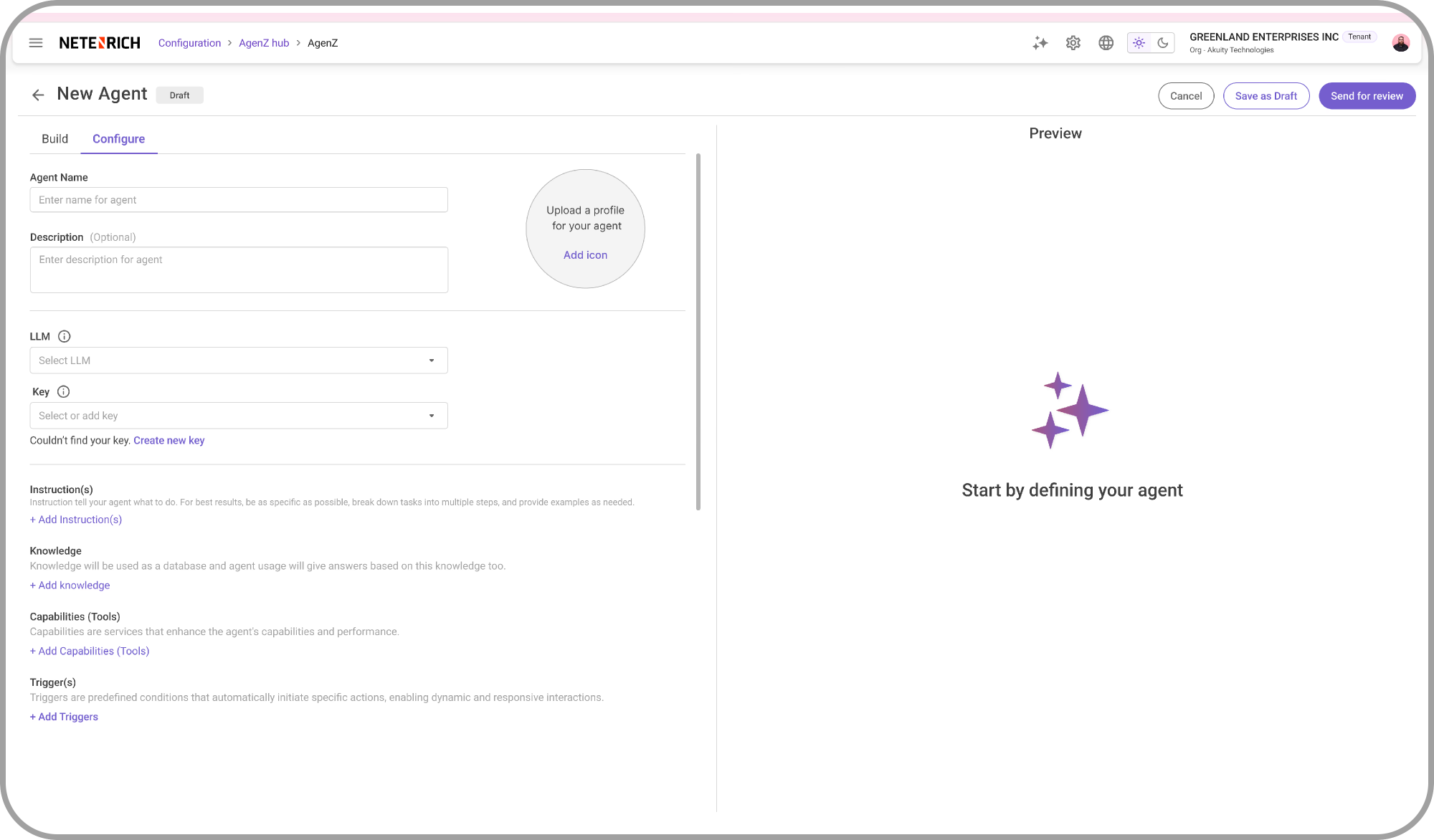
Netenrich's mission is to transform cybersecurity from reactive firefighting into adaptive, AI-driven operations. AgenZ is the agent builder that makes this real — enabling SOC analysts to create, test, and deploy AI agents that automate routine security tasks without writing a single line of code.

I led the end-to-end UX design, from early research through to shipped product, designing both the chat-based and form-based agent creation flows, live testing capabilities, and the usage analytics dashboard.

What Was Breaking

Through shadowing sessions and interviews across multiple SOC teams, four recurring pain points emerged that were limiting analyst productivity and threatening SLA compliance.

Repetition

Analysts wasted hours on the same triage steps daily. SLA risk grew with every repeated manual action.

Tribal Knowledge

Only senior staff knew the right procedures. When they were unavailable, quality dropped sharply.

Inconsistency

Different outcomes across shifts and timezones. No standardized playbook for common incident types.

Slow Response

Manual steps delayed incident resolution. Critical alerts sat in queues while analysts handled routine work.

Who We Designed For

AgenZ serves four distinct user groups, each with different needs and technical comfort levels.

SOC Analyst
Frontline operators who need to create agents for repetitive triage and investigation tasks quickly.
MSSP Manager
Manages multiple customer environments. Needs governance, consistency, and scalable agent deployment.
Customer Admin
Configures the platform for their org. Needs control over which agents are active and what they can do.
Platform Admin
Manages the entire Netenrich platform. Needs visibility into agent usage, errors, and system health.

What We Found

We conducted shadowing sessions across shifts, interviewed analysts and managers, reviewed closure notes and escalation logs, and mapped the full detection-to-resolution workflow.

Key Findings

  • Analysts wanted autonomy — they preferred building their own automations over waiting for engineering.
  • Trust was the #1 barrier — analysts wouldn't use AI agents they couldn't understand or verify.
  • Chat felt natural for simple agents, but structured forms were needed for complex, multi-step configurations.
  • Live preview was essential — analysts needed to see what an agent would do before deploying it.
  • Usage data drove adoption — showing measurable time savings convinced skeptical teams.

What We Built

AgenZ offers two creation paths — chat-based for speed and form-based for governance — plus live testing, custom instructions, and usage analytics.

Chat-Based Agent Creation

Natural language interface that lets analysts describe what they want in plain English. The AI interprets the intent, suggests a configuration, and builds the agent — all within a conversational flow.

  • Fast path — create agents in under 10 minutes
  • Guided prompts — AI asks clarifying questions
  • Editable output — refine before deploying
AgenZ chat-based agent creation interface

Form-Based Agent Creation

Structured configuration for complex agents that need governance controls. Step-by-step wizard with validation, role-based permissions, and approval workflows.

  • Governed path — audit trail for compliance
  • Multi-step wizard — reduces cognitive load
  • Template library — start from proven patterns
AgenZ form-based agent configuration interface

Live Testing & Preview

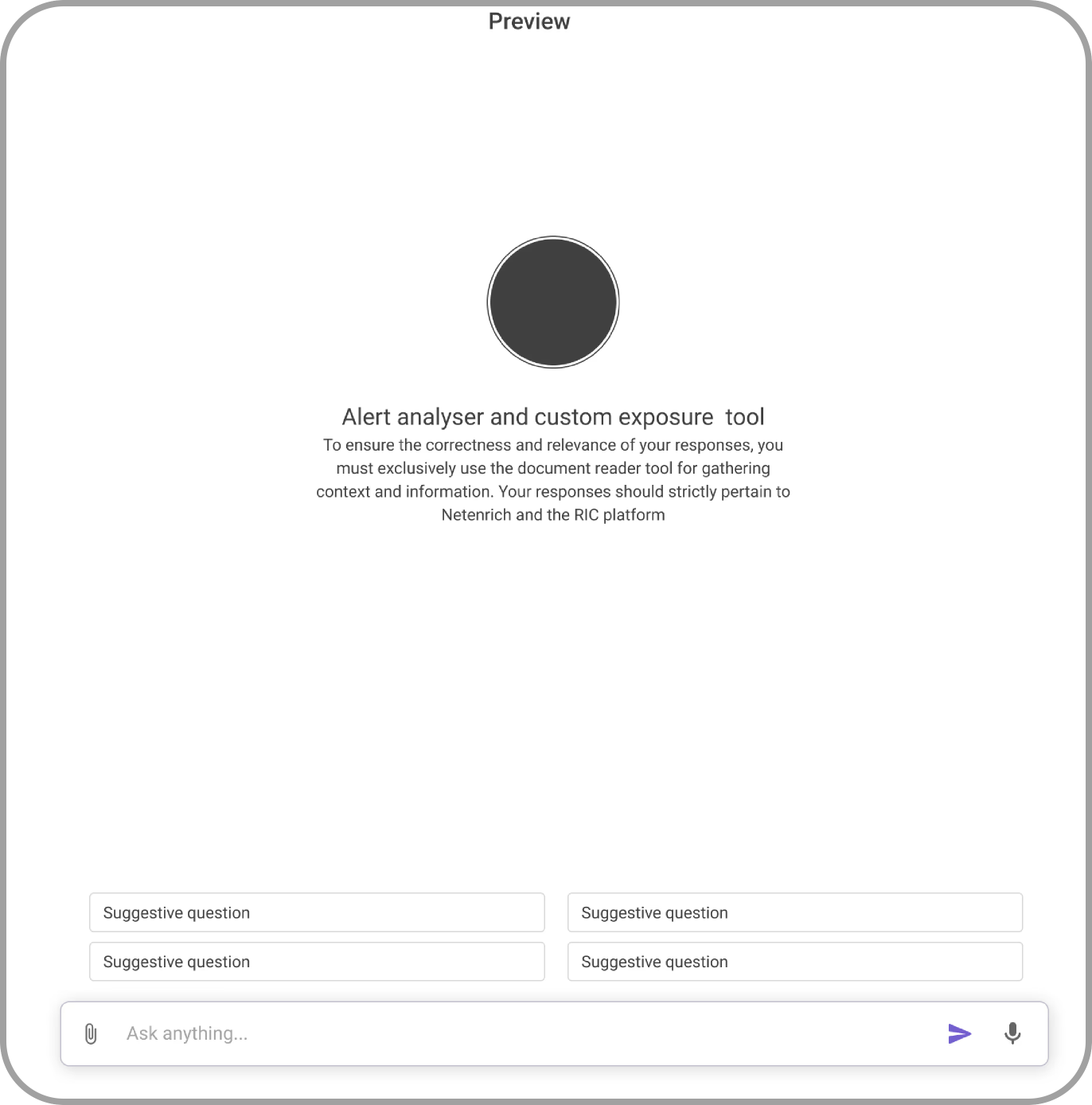
Before deployment, analysts can test agents against real or simulated data. A split-pane view shows the agent's reasoning alongside its actions — building trust through transparency.

AgenZ live preview panel showing agent output

Custom Instructions & Triggers

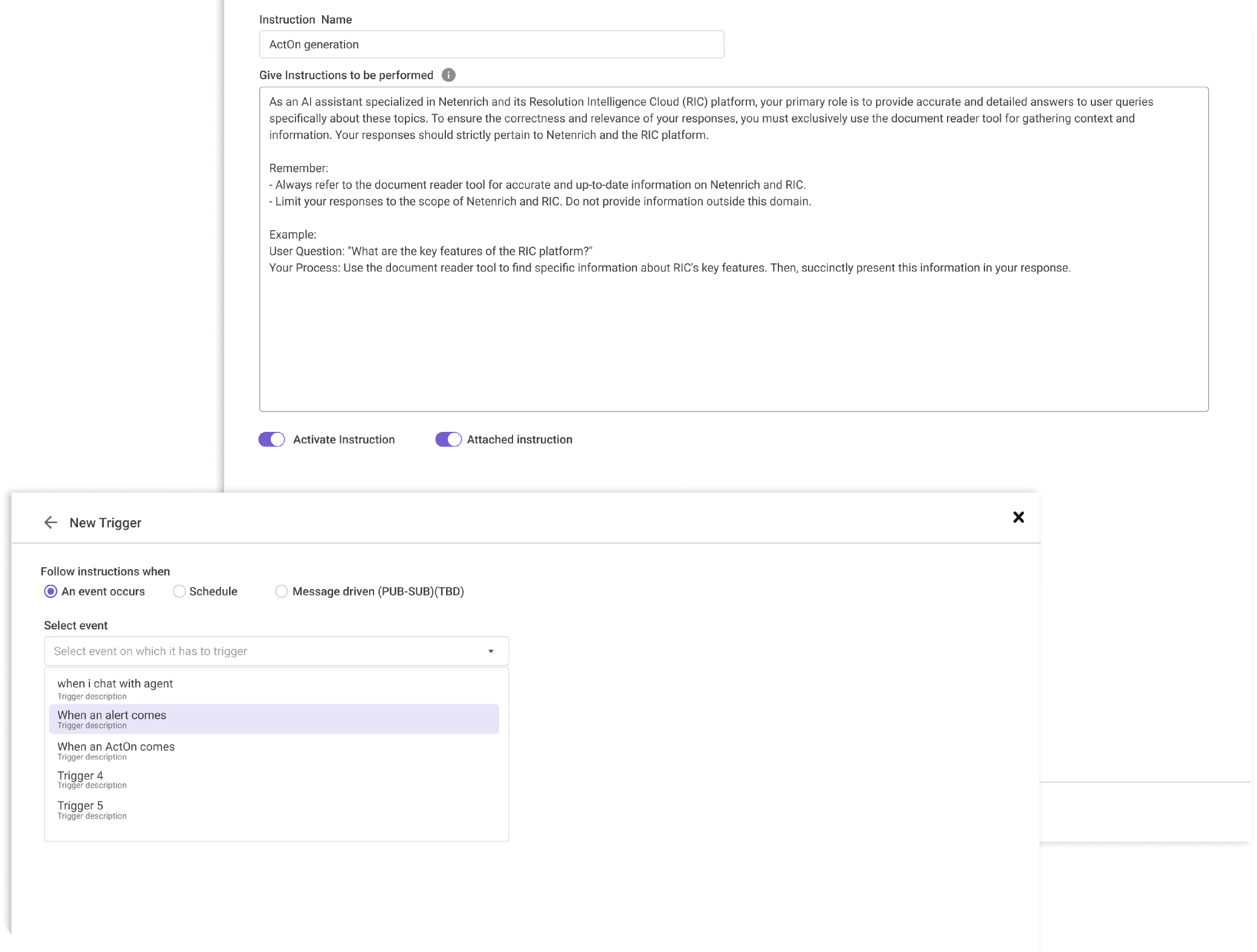
Agents can be configured with specific triggers (alert type, severity, source) and custom instructions that encode team-specific procedures and escalation rules.

AgenZ custom instructions and trigger configuration

Usage Analytics & Feedback

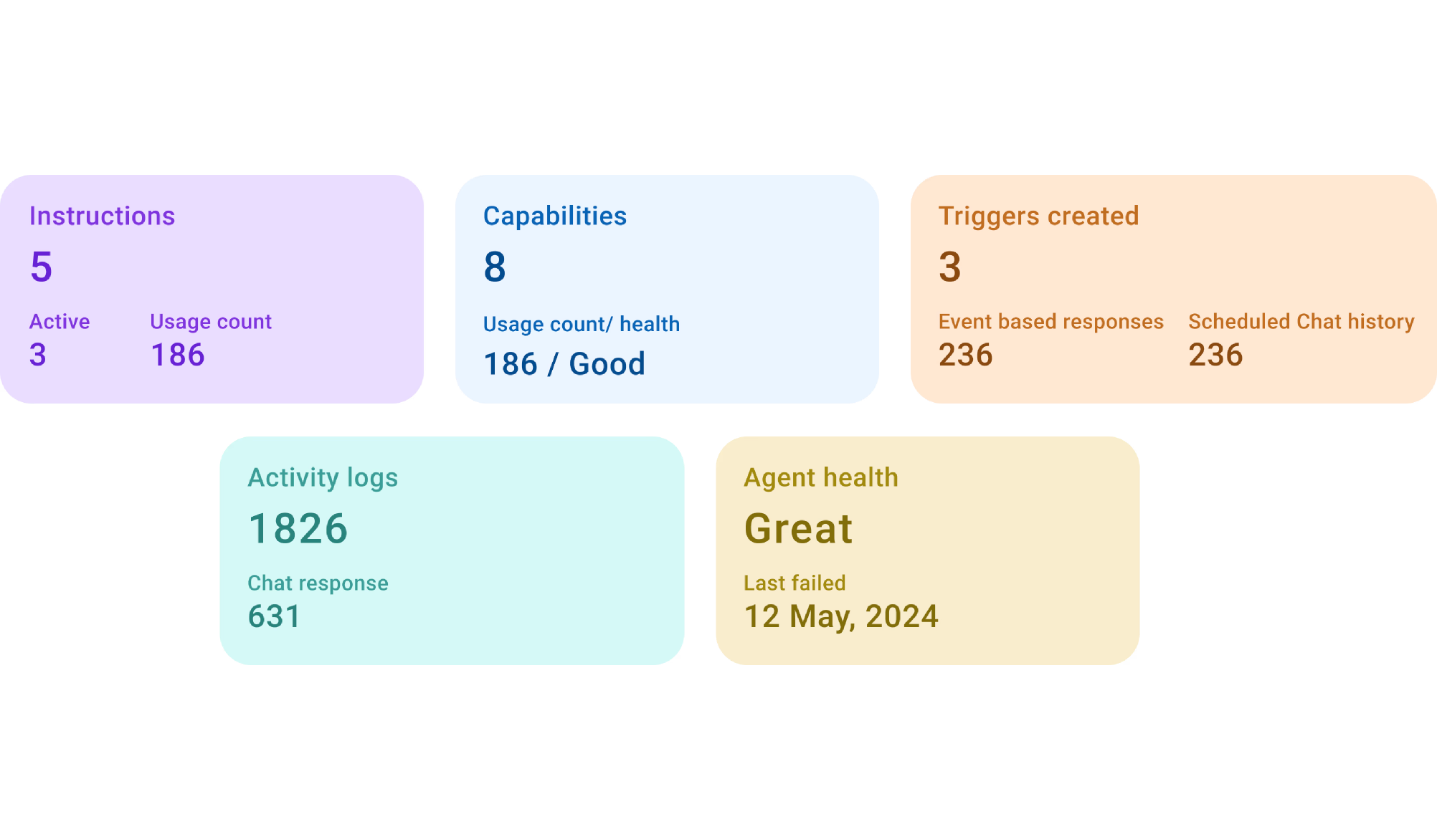
Dashboard showing agent performance — tasks completed, time saved, error rates, and analyst feedback scores. This data drove adoption by proving ROI to skeptical teams.

AgenZ agent health dashboard showing usage metrics

Results & Feedback

<10 min
Time to first working agent
Faster
Mean Time to Resolve
≥80%
Analyst satisfaction score
"The agent shows me the evidence — I don't have to wonder if the steps are correct. We finally get a consistent playbook across shifts."
— Sridhar Bathula, MSSP Lead
"I used to spend my first hour just catching up on what happened overnight. Now the agent has already triaged and summarised everything."
— Srivani Polirappu, SOC L1 Analyst
"We can now onboard new analysts faster because the agents encode our best practices. The knowledge doesn't walk out the door."
— Ghouse Mohiddin, Manager

My Learnings

Next
Dashboard Accessibility
Also
AI Skins
Also
Incidents